
Virtual Hair Try On Before You Cut or Dye
Upload your photo, answer a few salon-style questions, and instantly preview realistic hairstyles or hair colors before your next salon visit.
Before and After Hairstyle Previews
See the same face preserved while hair color, bangs, length, and styling change.
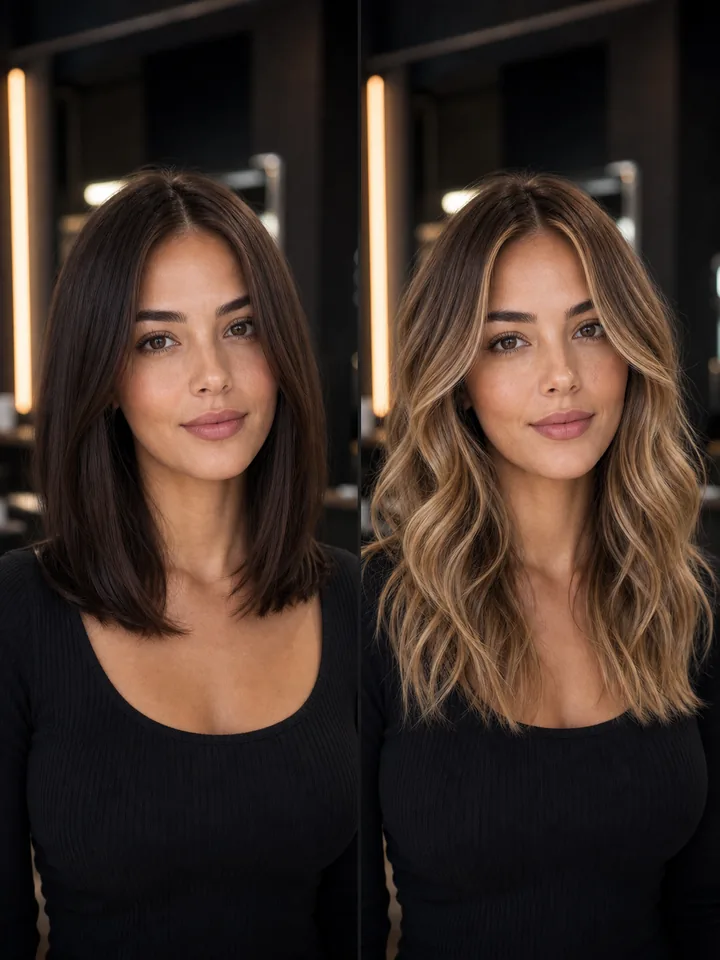
Balayage Blonde
Same face, warmer blonde dimension.
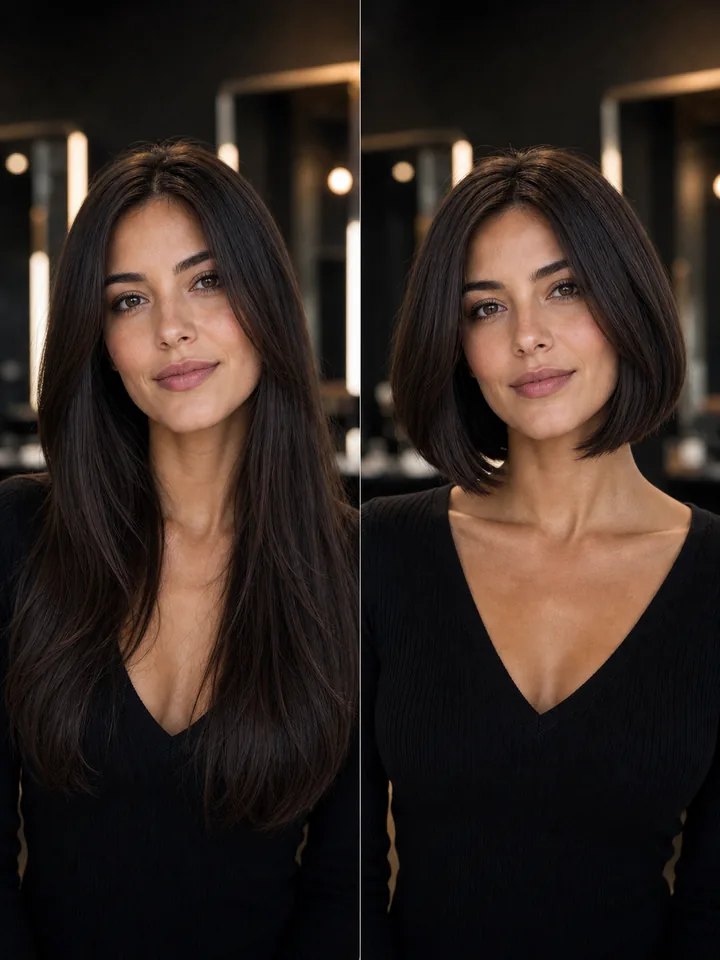
Brunette Bob
Same face, shorter bob shape.
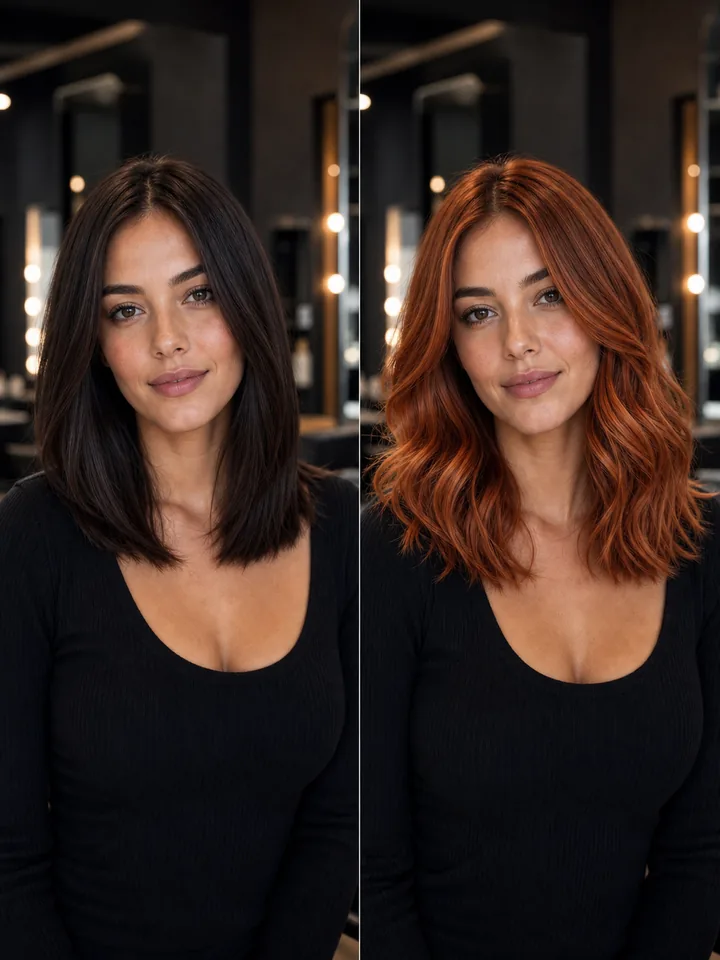
Copper Red
Same face, warmer red color.
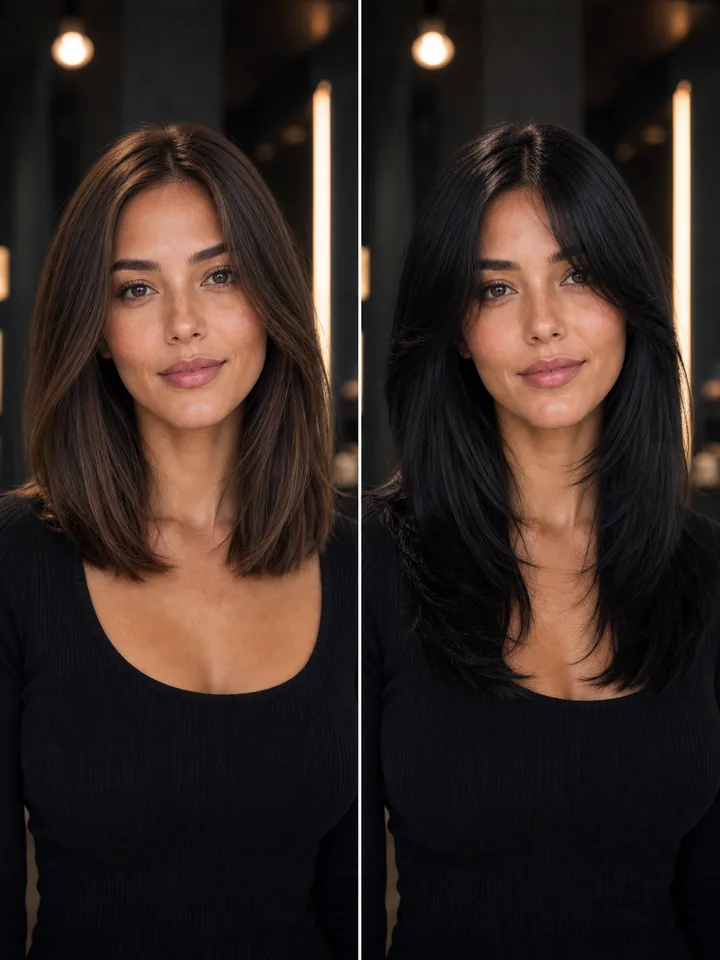
Soft Black Layers
Same face, darker layered finish.
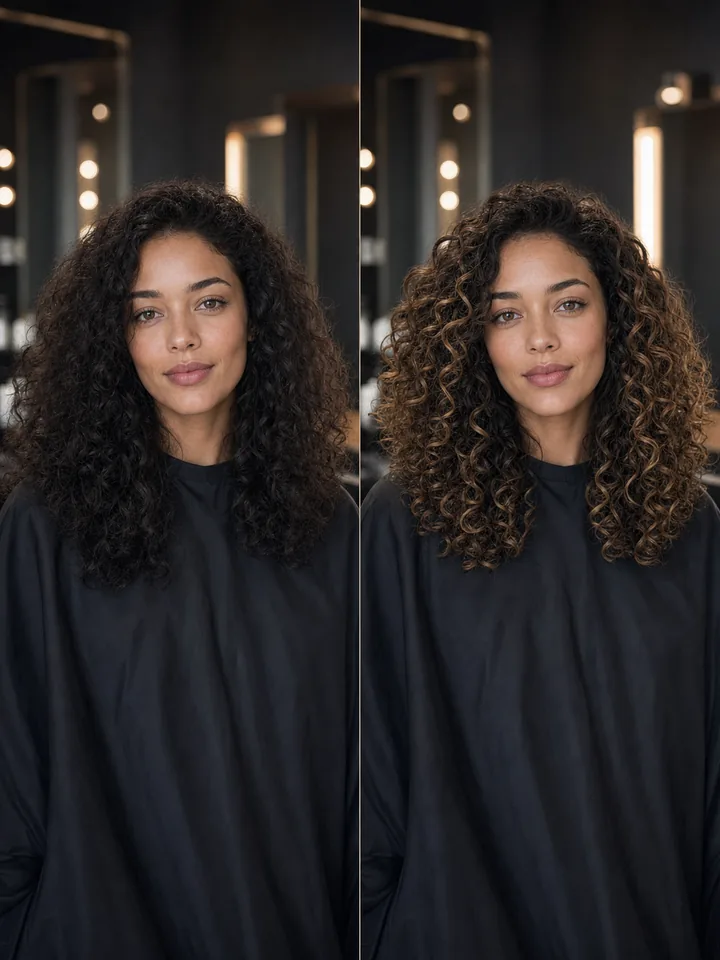
Curls and Highlights
Same face, brighter curl dimension.
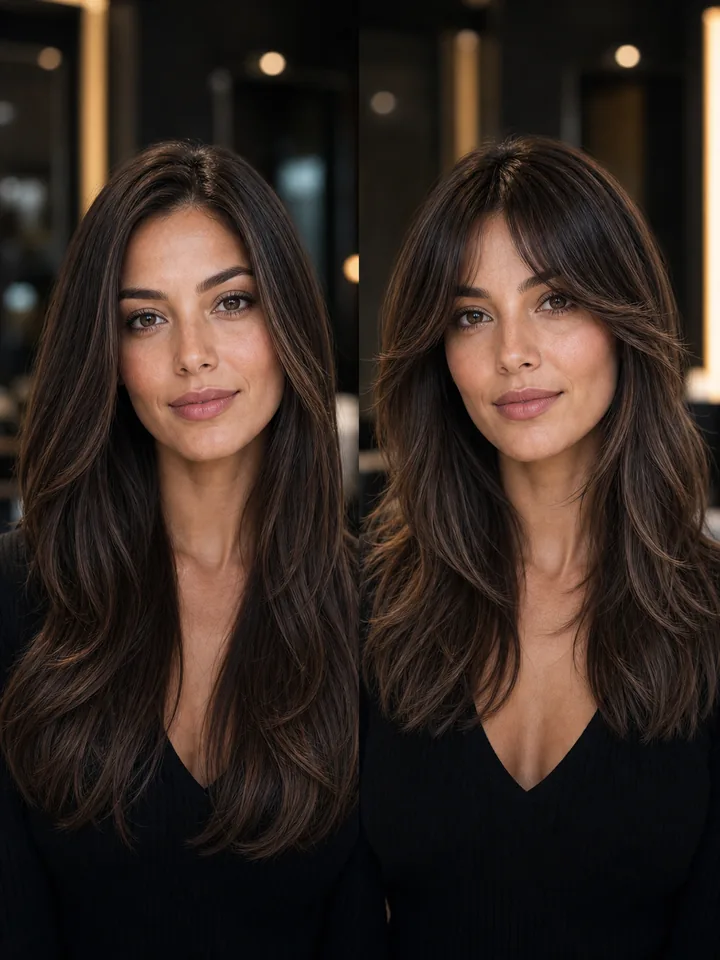
Curtain Bangs
Same face, softer face-framing fringe.
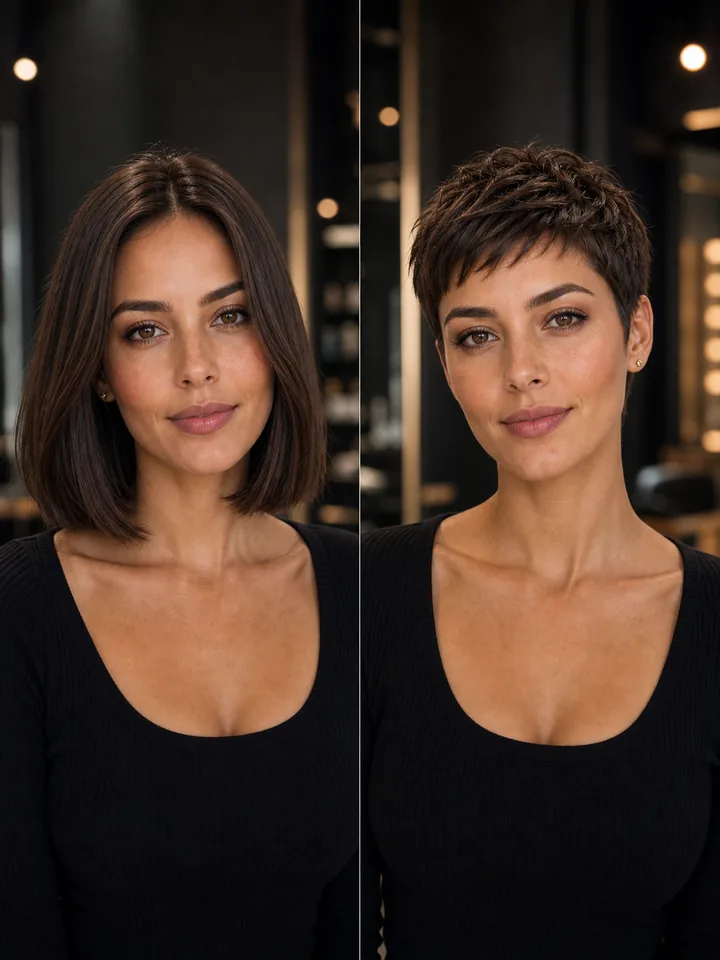
Pixie Cut
Same face, much shorter silhouette.
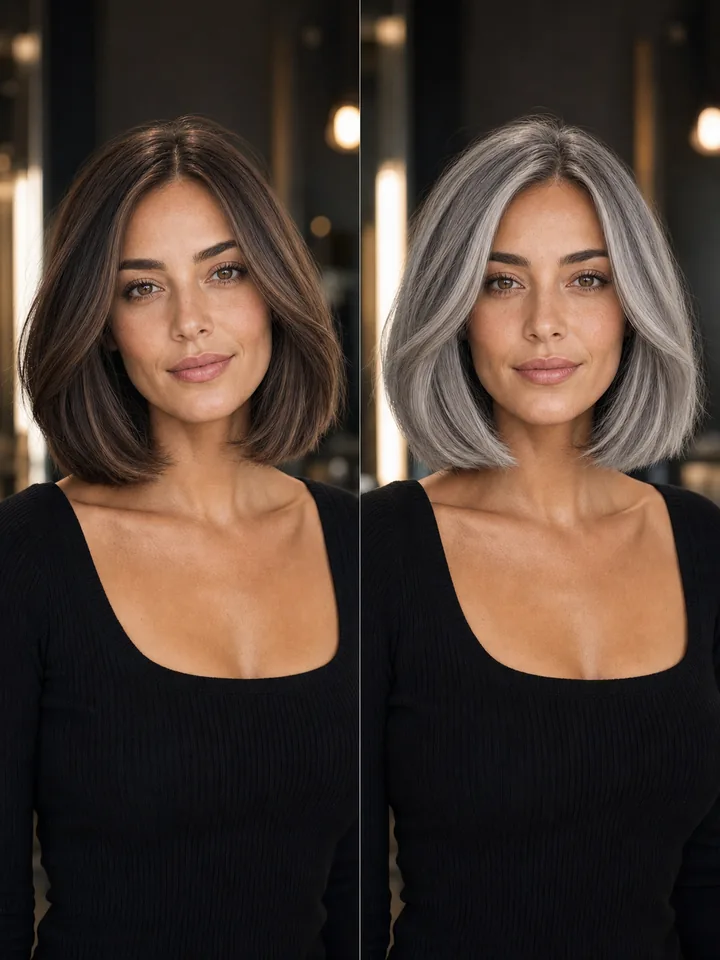
Silver Gray Bob
Same face, cooler gray bob direction.
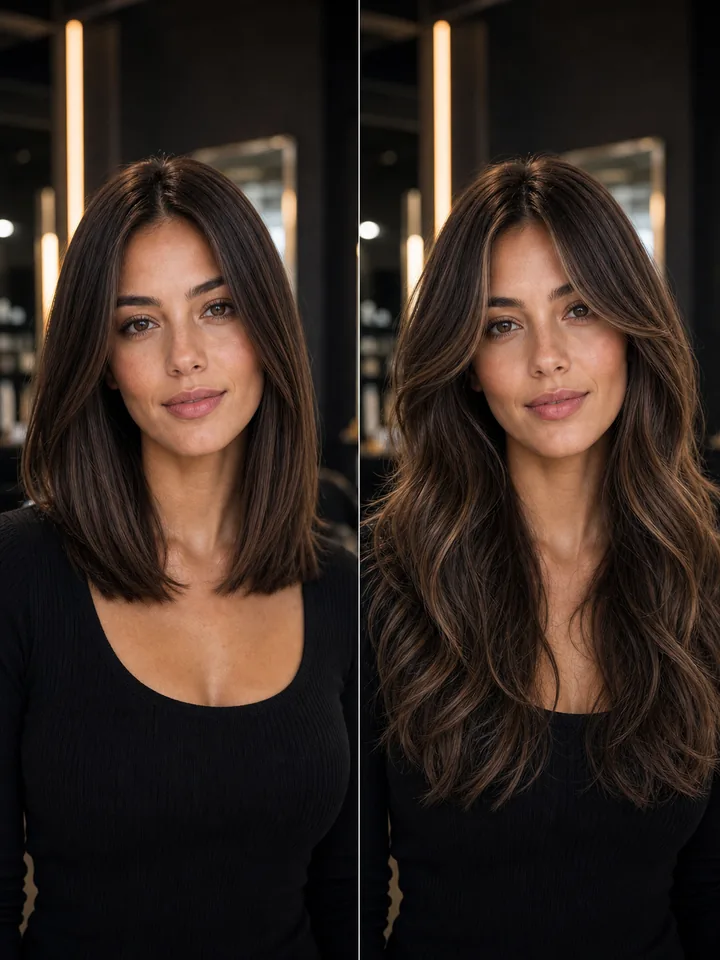
Long Waves
Same face, longer layered movement.
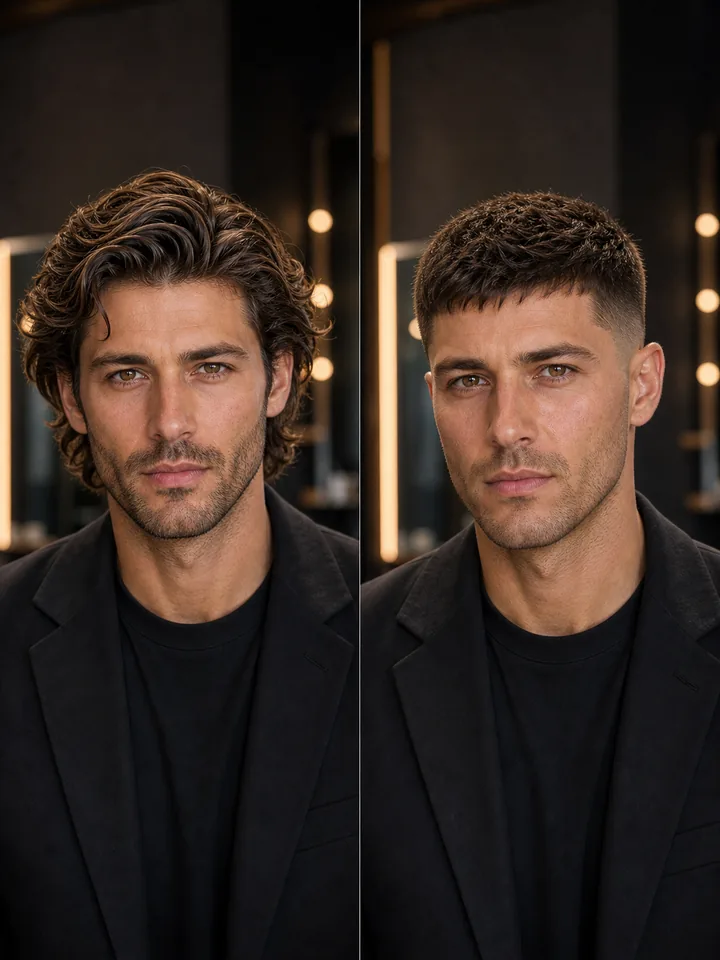
Crew Cut
Same face, cleaner short haircut.
Why Preview Before Your Salon Visit?
See the biggest haircut and color decisions on your own photo before they become expensive or slow to undo.
Avoid $150-$400+ Mistakes Preview your look before committing to costly hair color, professional balayage, highlights, or corrective cuts.
Preview your look before committing to costly hair color, professional balayage, highlights, or corrective cuts.
Skip Months of Haircut Regret Never worry about a bad chop again. Test bangs, short crops, or major length changes before they take months to grow out.
Never worry about a bad chop again. Test bangs, short crops, or major length changes before they take months to grow out.
1 Simple Photo Upload Upload your portrait just once to safely experiment with dozens of customized looks on your actual face shape.
Upload your portrait just once to safely experiment with dozens of customized looks on your actual face shape.
Explore Styles with Your Own Photo
Preview popular cut, color, and styling directions on your own face before your next salon or barber visit.
Curtain, Wispy & Blunt Bangs
Test a fringe or face-framing layers before making a cut that takes months to undo.
Short Pixie Cuts & Cropped Styles
Check ultra-short hair and bold, texturized crops on your face shape before losing your length.
Classic Bobs, Lobs & Blunt Cuts
Preview a chic bob or a trendy long bob (lob) direction before your stylist picks up the shears.
Hair Color, Balayage & Highlights
Compare dimensional blonde, rich brunette, copper red, or seamless hand-painted balayage.
Browser-Based Web Tool
Experiment with fresh hair inspiration straight from your desktop or phone - no app install required.
Favorite Look Reference
Save your absolute favorite high-resolution preview to show your colorist exactly what you want.
Popular Hairstyle Filters
Open a focused hairstyle filter page and preview the exact look you are considering.
Textured Crop Try-On
Preview a choppy textured crop with a defined fringe.
Modern Side Part Try-On
See whether a clean classic side part suits your face.
Sharp Crew Cut Try-On
Check a low-maintenance crew cut before going very short.
Butterfly Cut & V-Layers Try-On
Preview long V-shaped layers and modern volume.
Modern Pigtails Try-On
Compare playful high or low pigtails framing your face.
French Twist Updo Try-On
See an elegant updo preview before a formal event.
K-Pop & Korean Hairstyle Try-On
Preview soft Asian layers and airy curtain bangs.
How Virtual Hair Try On Works
A short preview flow for one decision: should you cut, dye, add bangs, go shorter, or try a new style?
Upload your photo
Use one clear photo with a recognizable face and visible current hair. Glasses, expression, and a slight angle are okay.
Choose a hairstyle
Pick bangs, short hair, a bob haircut, hair color, balayage, highlights, or another style direction.
Generate your preview
The preview is designed to keep your face and overall look recognizable while changing the hair.
Compare and save
Review before and after, download, regenerate, or upgrade for more options.
Hairstyle Try-On Packs
Sign in to claim 10 Hair Credits for one free watermarked preview. Standard previews use 10 credits; hairstyle reference previews use 20 paid credits.
Free Preview
Includes
- 10 Hair Credits for 1 watermarked hairstyle preview
- One hairstyle direction
- No clean download
- Sign in required
Starter
Includes
- 400 Hair Credits
- 40 standard previews or 20 reference previews
- Clean downloads without watermark
- Use your own photo and optional hairstyle inspiration
- Try cuts, colors, bangs, bob, short hair, or custom ideas
- Paid Hair Credits never expire
Best Value
Includes
- 1,800 Hair Credits
- 180 standard previews or 90 reference previews
- Clean downloads without watermark
- Enough room to compare cuts, colors, and bangs
- Use optional hairstyle inspiration photos
- Best value for multiple salon decisions
- Paid Hair Credits never expire
Virtual Hair Try On FAQ
Answers for people previewing a haircut, hair color, bangs, short hair, or bob before making the change.
Start Your Virtual Hair Try On
Upload one photo and preview your new look before a salon appointment, bangs cut, short haircut, bob, or color change.