
AI Textured Crop Hairstyle Try-On
Wondering if a textured crop suits your face shape? Upload a photo and see a realistic version on your own face via AI—choppy top, defined fringe, tight sides—before you sit in the barber's chair.
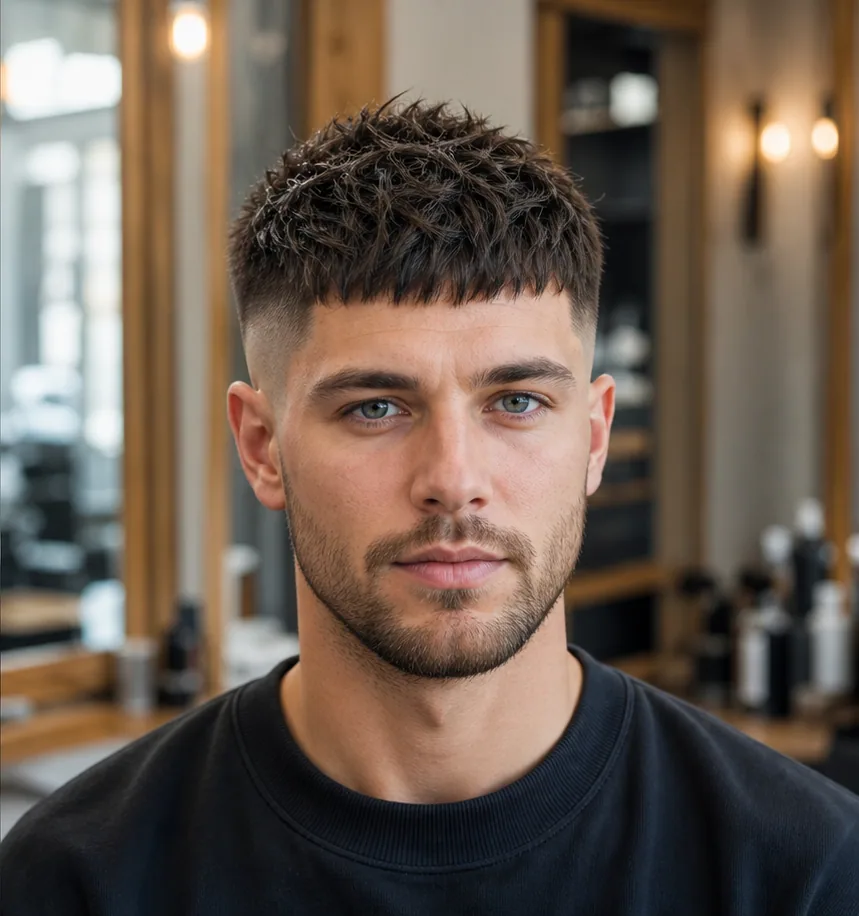
What a textured crop looks like on you
Preview the details that define a textured crop before you decide.
Choppy textured top
Point-cut layers on top that sit messy-on-purpose, not flat.
Defined fringe
A short, blunt or angled fringe that frames the forehead.
Tight tapered sides
Clean short sides that keep the shape sharp and low-maintenance.
How your try-on is made
Your textured crop preview is generated from one photo in three steps.
Upload a clear photo
A front-facing photo with your face and hairline visible works best.
Apply the textured crop
The AI fits the hairstyle to your head shape while keeping your face unchanged.
Compare and decide
See the before/after side by side and judge if the look suits you.
Textured Crop before and after
See how a textured crop reshapes the top and tightens the sides while your face stays exactly the same.

Before
Your original length and style, untouched.
After
A realistic textured crop fitted to your hairline and head shape.
Why preview before you cut
Seeing a textured crop on your own face removes the guesswork before the salon.
Avoid regret
Hair grows back slowly — see the result before you commit.
Brief your stylist
Show the preview so you and your stylist picture the same result.
Seconds, not appointments
Get a realistic preview instantly instead of imagining it.
Textured Crop try-on questions
Common questions about previewing a textured crop on your photo.
See the Textured Crop on your own photo
Upload a photo and preview a realistic textured crop in seconds — free, no signup.