
Hair Color Try On Before You Dye
Upload your photo, preview blonde, brunette, balayage, highlights, or red hair, and save a clear color reference before your next appointment.
Before and After Hair Color Previews
Compare your original photo with a color preview so the change feels easier to judge before dyeing.
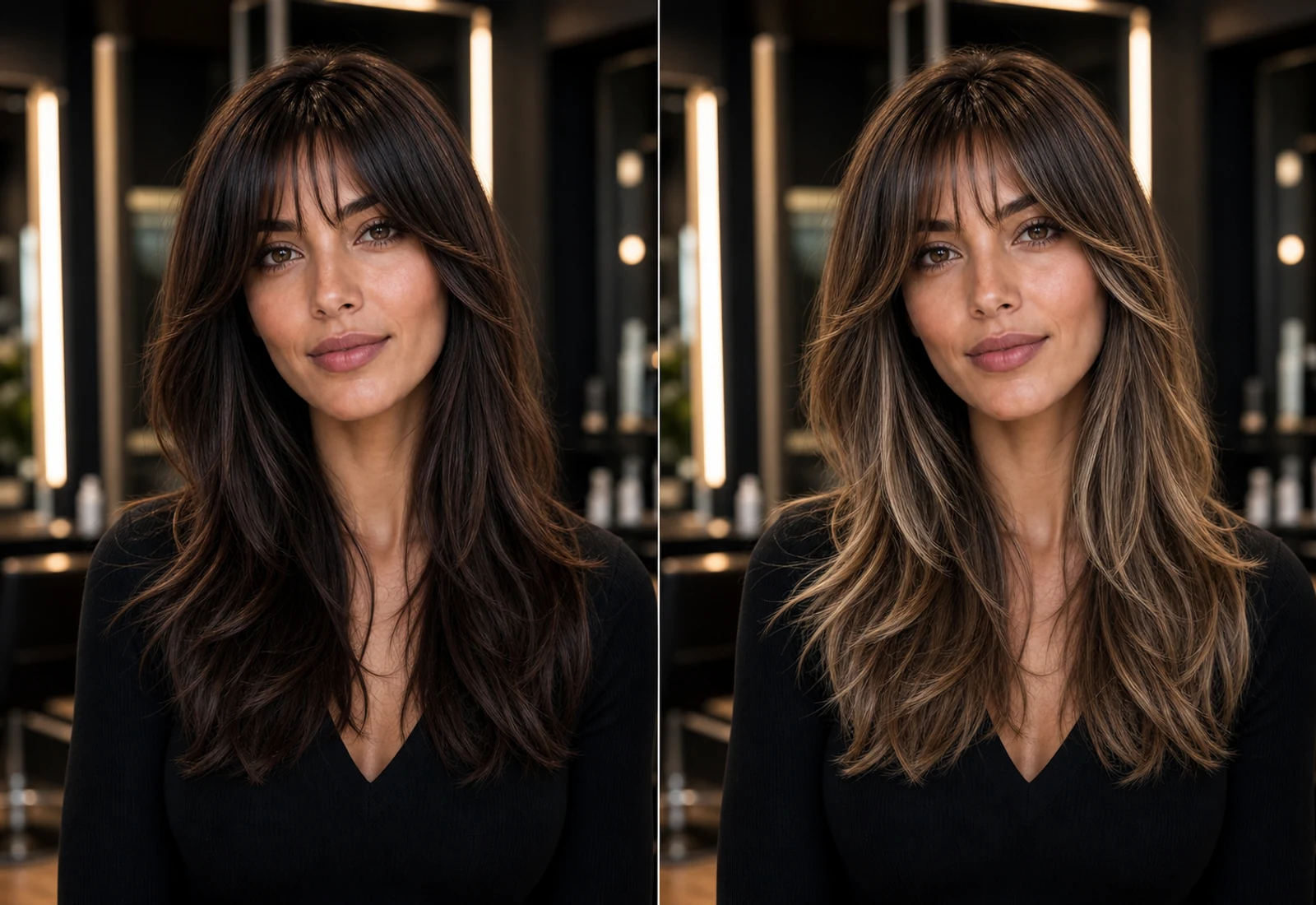
Before
Keep a clear view of your current hair color, face, and lighting.
After
Preview a salon-inspired color direction before a real appointment.
Decision reference
Save the result and compare it with other shades or stylist advice.
Preview Hair Colors Before a Salon Appointment
Use hair color try on as a decision tool before booking dye, balayage, or highlights.
Blonde Hair Color Try On
Preview a lighter blonde direction and see whether it works with your skin tone, face, and current lighting.
Brunette Hair Color Try On
Try brunette and soft brown shades before moving darker or warmer at the salon.
Red Hair Color Try On
Compare copper, auburn, and red hair ideas before choosing a color that is harder to reverse.
Balayage and Highlights Preview
Preview dimensional color before a high-ticket balayage or highlights appointment.
Try Hair Colors with Your Photo
A focused color preview flow for people deciding what to ask for before dyeing.
Upload a clear photo
Start with a front-facing portrait where your face and hairline are easy to see.
Choose a color idea
Pick blonde, brunette, red, balayage, highlights, or another salon color direction.
Generate your hair color preview
The preview changes the hair color while being designed to keep your face and overall look recognizable.
Compare shades before dyeing
Use the preview to decide what feels flattering before booking or committing.
How Hair Color Try On Works
The goal is not a playful color overlay. It is a practical preview for dye decisions.
Upload your photo
Use a sharp portrait with natural lighting and visible hair.
Pick a hair color
Choose a realistic color direction such as blonde, brunette, red, balayage, or highlights.
Preview the result
Review the generated image on your own face before changing real hair.
Save as a salon reference
Use the preview as a starting point for a stylist conversation.
Hair Color Try On FAQ
Common questions before using a virtual hair color try on for a real dye decision.
Try Hair Colors Before You Dye
Upload your photo and compare hair colors before a salon visit. Try our Virtual Hair Try On tool to compare more hairstyle ideas with your photo.
Also try