
Bangs Filter Before You Cut
Upload your photo, try curtain bangs, wispy bangs, full bangs, or side bangs, and see which option feels safest before cutting.
Before and After Bangs Previews
Compare your original photo with a bangs preview so you can judge face framing before cutting.
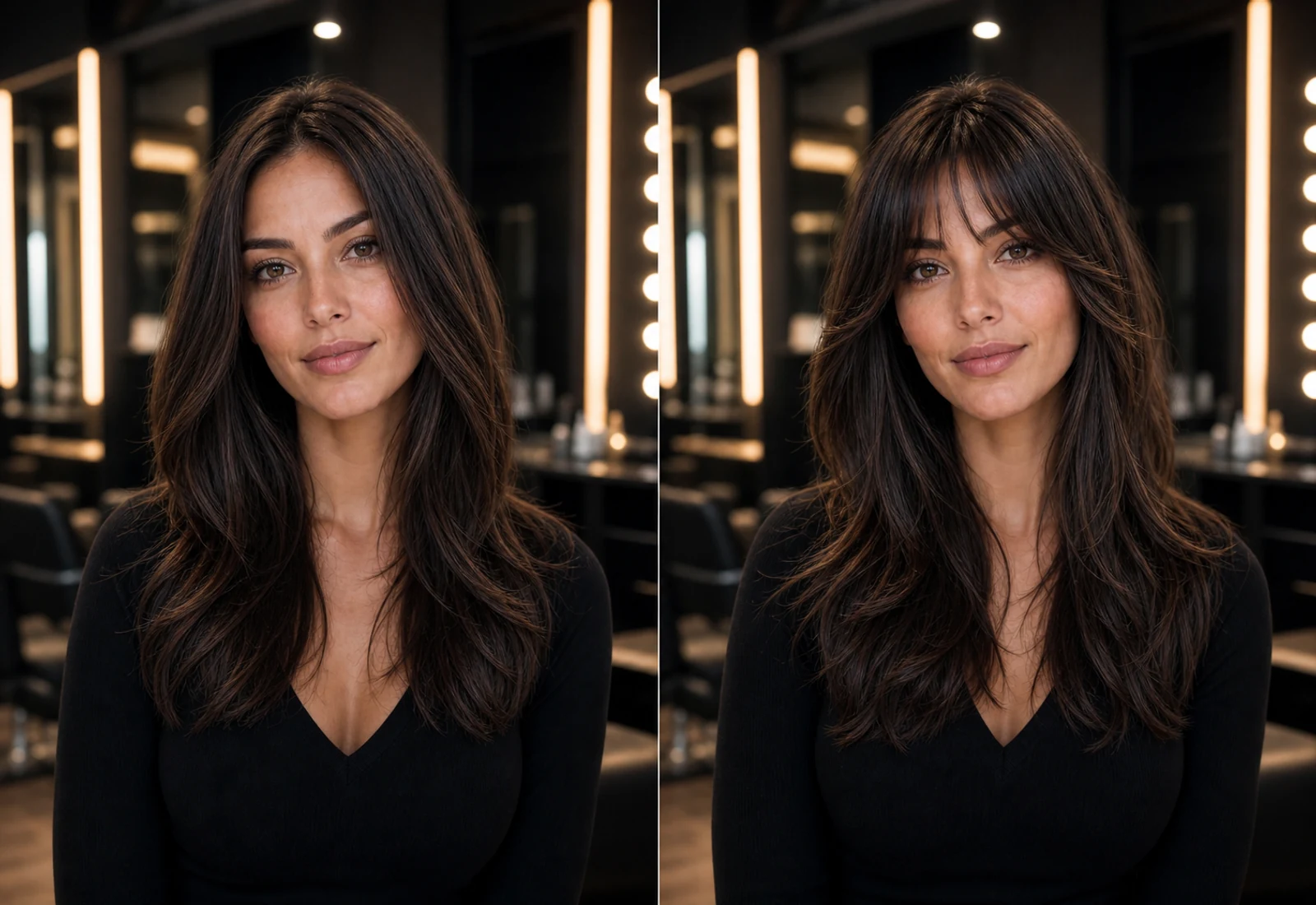
Before
Start with your current face frame and hairline.
After
Preview how bangs change the balance around your eyes and forehead.
Decision reference
Save the result before you ask a stylist for the cut.
See Yourself with Bangs Before the Big Cut
A bangs filter helps you judge face framing, forehead coverage, and styling risk before cutting real hair.
Curtain Bangs Preview
Preview a softer parted bang shape that frames both sides of the face.
Wispy Bangs Preview
Try a lighter fringe direction before choosing a delicate bang cut.
Fringe Preview
See whether fuller fringe changes your face shape in a way you like.
Side Bangs Preview
Compare a side-swept bang direction before asking for a real cut.
Try On Bangs with Your Photo
Use your own portrait to decide whether bangs suit your face before cutting.
Upload your photo
Choose a clear front-facing photo with your hairline visible.
Choose a bangs style
Start with curtain bangs, wispy bangs, fringe, or a side bang direction.
Preview bangs on your face
Check how the bang shape changes your eyes, forehead, and face frame.
Compare before cutting
Use the preview to decide whether bangs still feel right after the first impulse.
How the Bangs Filter Works
A short preview flow for one of the easiest haircuts to regret and the hardest to hide.
Upload a clear front-facing photo
Use a portrait where your forehead, eyes, and hairline are visible.
Select a bang style
Choose the bang direction you are considering before a salon visit.
Generate your preview
See the bang shape on your own face before real scissors are involved.
Save your favorite result
Keep the preview as a reference or compare it with another hairstyle idea.
Bangs Filter FAQ
Real questions people ask when they want bangs but worry about regret.
Try Bangs Before You Cut
Upload your photo and preview bangs before making a cut that can take months to grow out. Try our Virtual Hair Try On tool to compare more hairstyle ideas with your photo.
Also try