
Short Hair Filter Before You Cut
Upload your photo, preview pixie, short bob, lob, or short layered styles, and compare safer short-hair options before cutting off length.
Before and After Short Hair Previews
Compare your current look with a short hairstyle preview before making a length change.
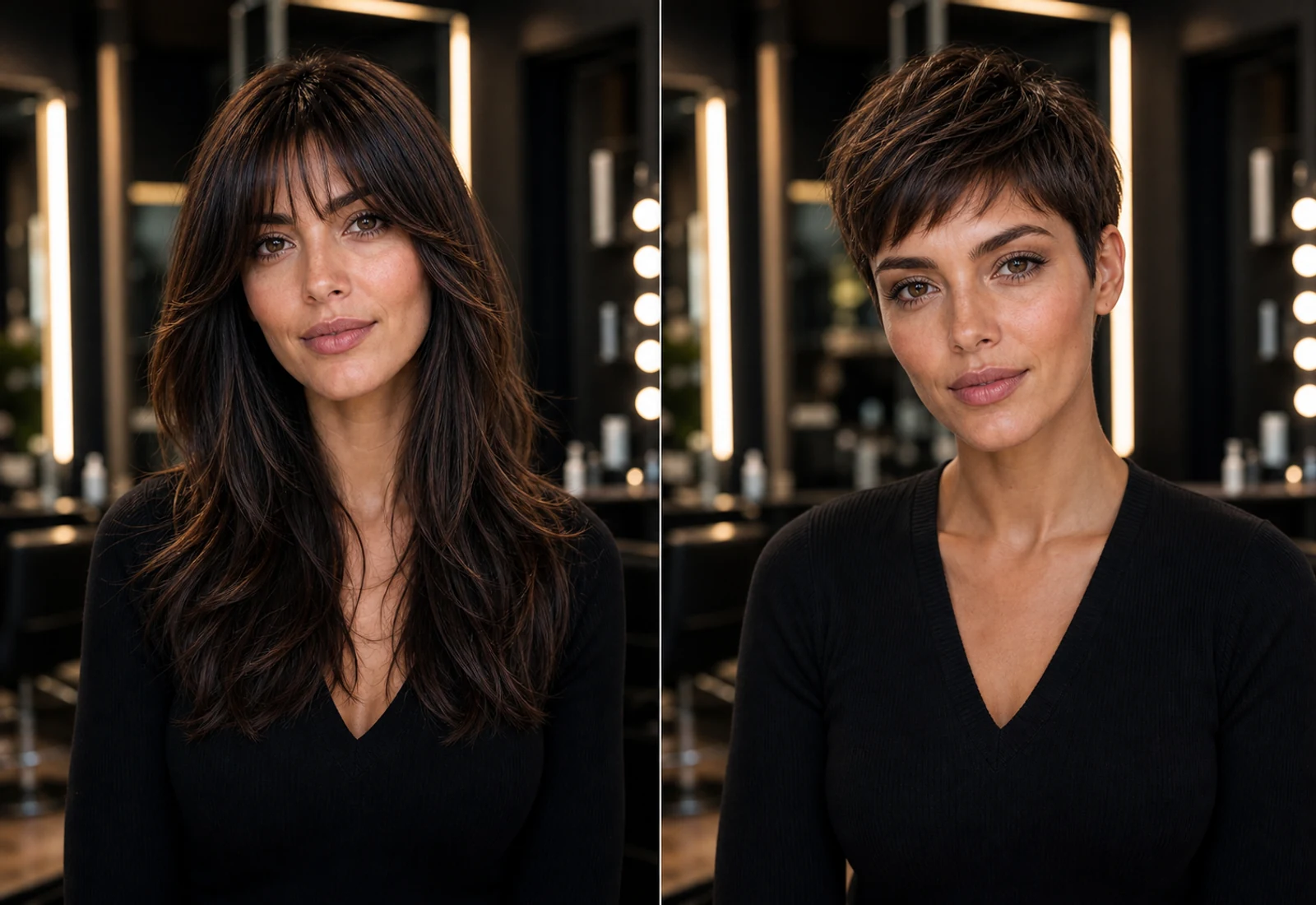
Before
Use your current length as the baseline for comparison.
After
Preview a shorter style direction on your own face.
Decision reference
Save the result before asking your stylist for a major cut.
See Yourself with Short Hair First
Use a short hair filter when you are considering a visible length change and want to know whether your face can carry it.
Pixie Cut Preview
Try a bold short cut before losing length that may take months to grow back.
Lob Hairstyle Preview
Preview a longer bob or lob when you want a shorter shape without going too severe.
Short Layers Preview
Check whether shorter layers add flattering movement or too much volume.
Shoulder-Length Hair Preview
Compare a shoulder-length haircut before committing to a shorter everyday routine.
Try Short Hairstyles with Your Photo
Preview short hairstyles on your own face before making a major length decision.
Upload your photo
Start with a clear portrait where your face and current hair shape are visible.
Choose a short hairstyle
Pick a pixie, lob, short layers, shoulder-length cut, or another short direction.
Preview the length change
See how shorter hair changes your face frame, neck line, and overall style.
Compare before cutting
Use the result to decide whether the shorter length feels right.
How the Short Hair Filter Works
Short hair changes the face frame, silhouette, and styling routine. The preview keeps the decision grounded in your own photo.
Upload a clear photo
Use a sharp portrait with even lighting and visible hair.
Select a short hairstyle
Choose a short hair direction such as pixie, lob, short layers, or shoulder length.
Generate your preview
Review how the shorter shape frames your face before cutting.
Save as a salon reference
Bring the preview to a stylist conversation so the target length is easier to explain.
Short Hair Filter FAQ
Questions people ask before changing from longer hair to a shorter cut.
Try Short Hair Before You Cut
Upload your photo and preview short hairstyles before a major length change. Try our Virtual Hair Try On tool to compare more hairstyle ideas with your photo.
Also try