
Bob Haircut Filter Before You Cut
Upload your photo and preview classic bob, French bob, long bob, or layered bob styles before deciding your salon reference.
Before and After Bob Haircut Previews
Compare your current hair with a bob haircut preview before making the cut.
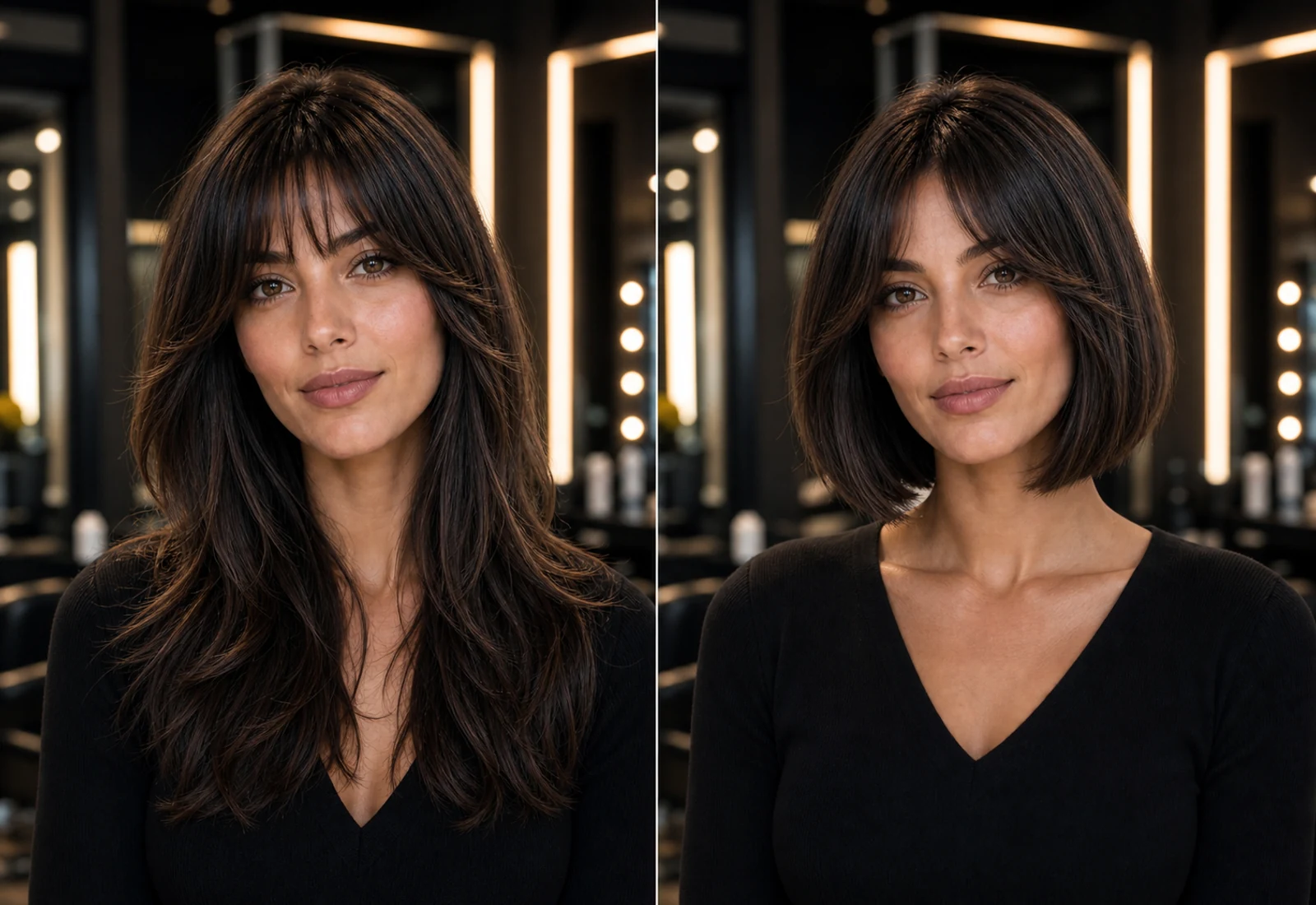
Before
Start from your current length and natural face frame.
After
Preview how a bob changes the line around your jaw and shoulders.
Decision reference
Save the result and compare it with lob or short bob options.
Try a Bob Haircut Before the Salon
A bob haircut filter is for users who already like the bob idea and need to know whether the shape suits their own face.
Classic Bob Preview
Preview a clean bob shape before choosing a timeless salon cut.
Short Bob Preview
Try a shorter bob direction and see how it frames your jawline and neck.
Lob Preview
Compare a longer bob when you want a safer transition from long hair.
Face-Framing Bob Preview
Check whether a bob with face-framing shape softens or sharpens your look.
Try a Bob Haircut with Your Photo
Preview bob cuts on your own face before deciding how short and how face-framing to go.
Upload your photo
Start with a clear portrait where your face and current length are visible.
Choose a bob style
Pick a classic bob, short bob, lob, or face-framing bob direction.
Preview the bob haircut
See how the bob length changes your silhouette and face frame.
Compare before cutting
Use the preview to decide whether the bob is flattering enough to commit.
How the Bob Haircut Filter Works
The bob preview is built for a specific haircut decision: does this shape suit your face before the stylist cuts length?
Upload a clear photo
Use a front-facing portrait with visible hair and face outline.
Select a bob haircut
Choose a bob direction that matches the salon cut you are considering.
Generate your preview
Review the bob shape on your own face before committing to the cut.
Save as a salon reference
Use the preview to explain the length and face-framing direction more clearly.
Bob Haircut Filter FAQ
Questions people ask when they are interested in a bob but unsure whether it suits them.
Try a Bob Haircut Before You Cut
Upload your photo and preview a bob haircut before your salon appointment. Try our Virtual Hair Try On tool to compare more hairstyle ideas with your photo.
Also try