
Try On Pigtails Hairstyle With Your Photo
Pigtails can read playful, sporty, or cute depending on their height and placement. Upload a photo and preview double pigtails on your own face via AI to find the version that frames you best.
What pigtails look like on you
Preview the details that make pigtails balanced and clean.
Symmetrical placement
Two even pigtails balanced on each side.
Clean center part
A neat parting down the middle for a tidy finish.
Adjustable height
See high pigtails for sporty looks or low for a softer style.
How your try-on is made
Your pigtails preview is generated from one photo in three steps.
Upload a clear photo
A front-facing photo with your face and hairline visible works best.
Apply the pigtails
The AI fits the hairstyle to your head shape while keeping your face unchanged.
Compare and decide
See the before/after side by side and judge if the look suits you.
Pigtails before and after
See your hair gathered into two balanced pigtails while your face and color stay the same.
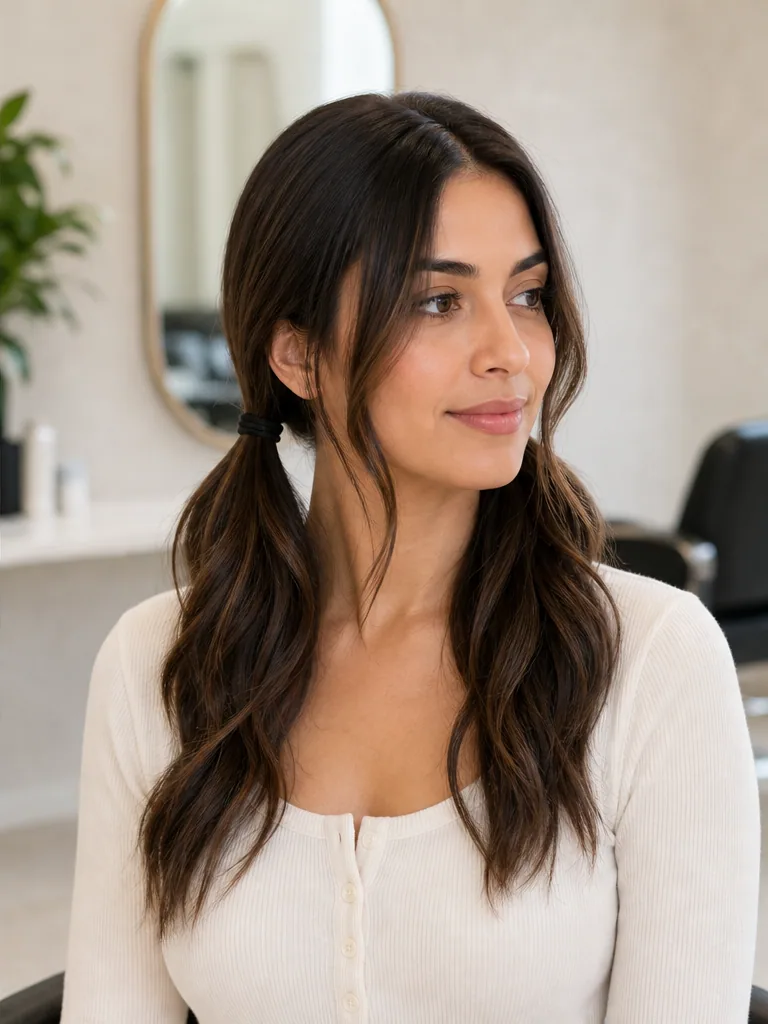
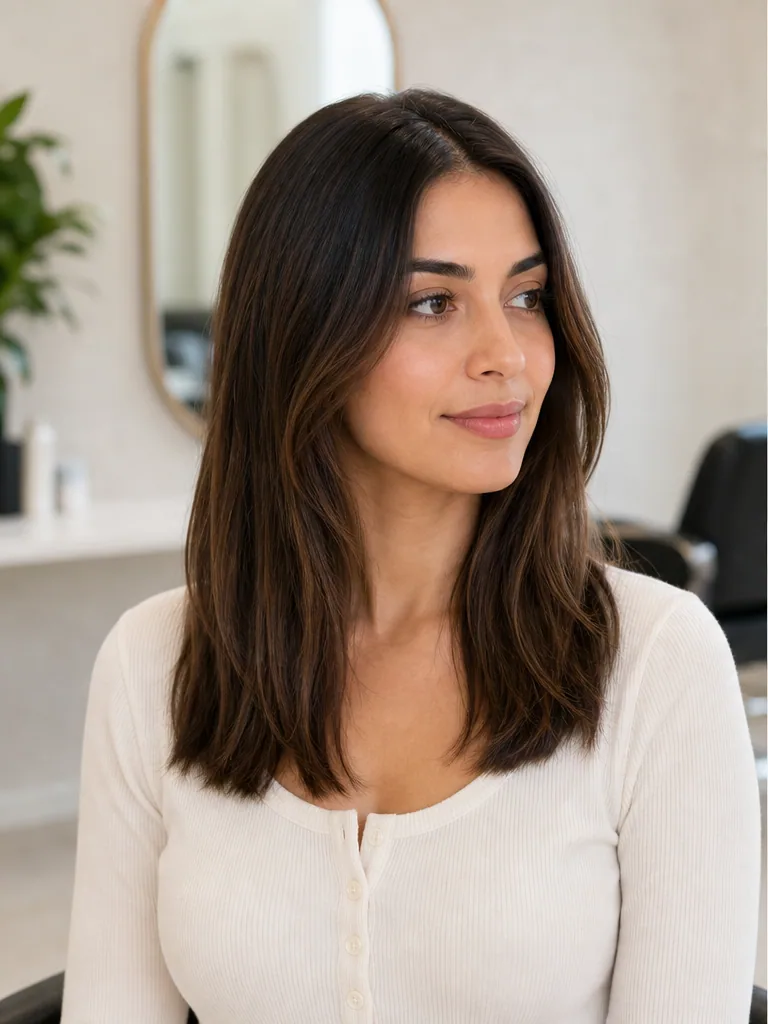
Before
Your hair down in its current style.
After
Two symmetrical pigtails with a clean center part.
Why preview before you cut
Seeing a pigtails on your own face removes the guesswork before the salon.
Avoid regret
Hair grows back slowly — see the result before you commit.
Brief your stylist
Show the preview so you and your stylist picture the same result.
Seconds, not appointments
Get a realistic preview instantly instead of imagining it.
Pigtails try-on questions
Common questions about previewing a pigtails on your photo.
See the Pigtails on your own photo
Upload a photo and preview a realistic pigtails in seconds — free, no signup.