
AI V Cut Hairstyle Try-On
A V cut gives long hair a dramatic, sculpted back—but it requires the right length and layers. Upload a photo to preview a V-shaped haircut on your own hair before you ask your stylist for the chop.
What a V cut looks like on you
Preview the elements that define a V-shaped layered cut.
V-shaped hemline
A pronounced V at the back instead of a straight or U-shaped end.
Long flowing layers
Layers that create movement down the length.
Face-framing length
Front sections that frame the face while the back forms the V.
How your try-on is made
Your v cut preview is generated from one photo in three steps.
Upload a clear photo
A front-facing photo with your face and hairline visible works best.
Apply the v cut
The AI fits the hairstyle to your head shape while keeping your face unchanged.
Compare and decide
See the before/after side by side and judge if the look suits you.
V Cut before and after
See a V cut reshape the back of your long hair into a defined V while your color and face stay the same.
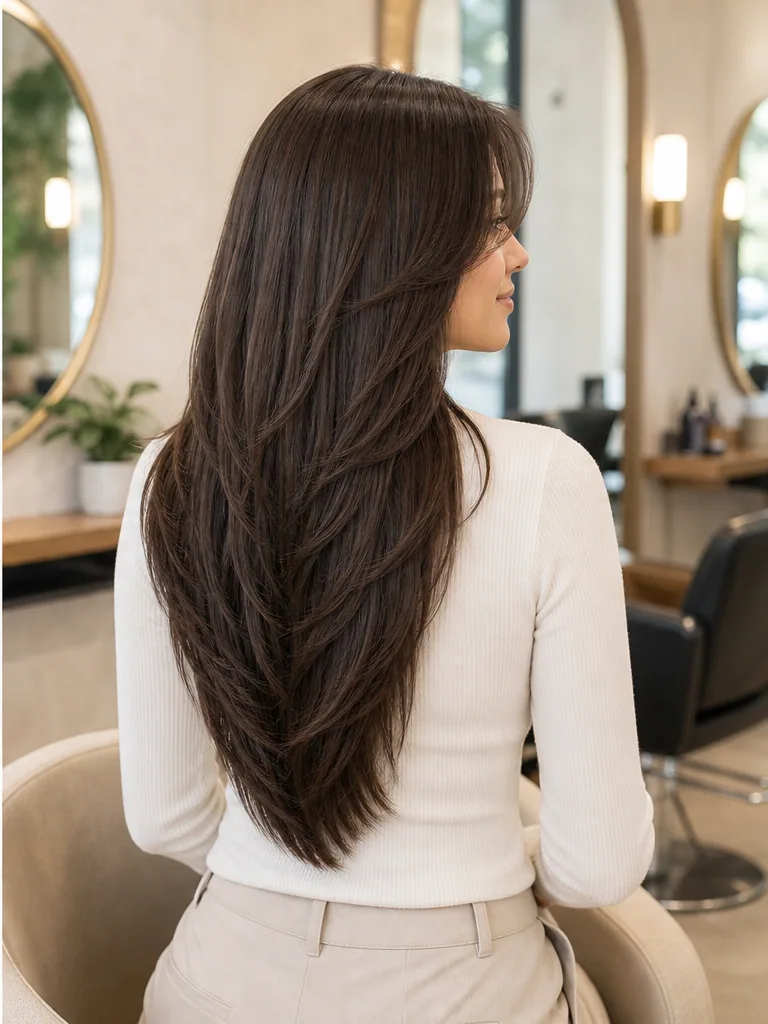
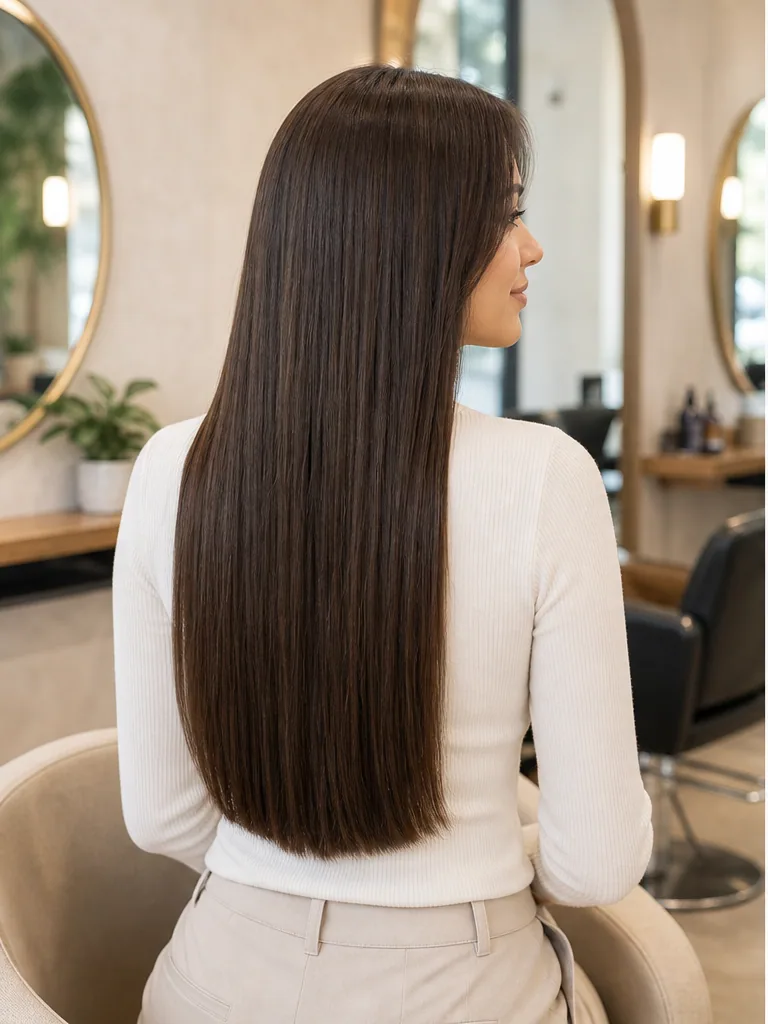
Before
Your current length and ends.
After
A long V cut with a defined V hemline and layers.
Why preview before you cut
Seeing a v cut on your own face removes the guesswork before the salon.
Avoid regret
Hair grows back slowly — see the result before you commit.
Brief your stylist
Show the preview so you and your stylist picture the same result.
Seconds, not appointments
Get a realistic preview instantly instead of imagining it.
V Cut try-on questions
Common questions about previewing a v cut on your photo.
See the V Cut on your own photo
Upload a photo and preview a realistic v cut in seconds — free, no signup.